
LOBBY
Casino categories
Open slots, Live Casino, Super Bingo and superfishing from separate category controls. Search is available on mobile, helping you reach a named room without moving through every card.
tgr99 puts Live Casino, rocketslot, Super Bingo and a sportsbook behind one account, with DANA and QRIS visible beside the cashier path.
Access is available only where local law permits.
Our casino and slots area opens from the first category row, with search and filters sized for phone screens.

Slots come first, followed by streamed dealer tables, bingo rooms, fishing games and sportsbook markets arranged within one account.
Pragmatic Play, PG Soft and Habanero are among the recognisable names shown through our searchable casino and slots area for Indonesia.
DANA, OVO, GoPay and QRIS appear as named choices inside our cashier, so you do not need to guess which wallet path applies.
The home screen is more than a row of game images. We keep durable account areas within easy reach so you can check access rules, follow cashier status…
Open slots, Live Casino, Super Bingo and superfishing from separate category controls. Search is available on mobile, helping you reach a named room without moving through every card.
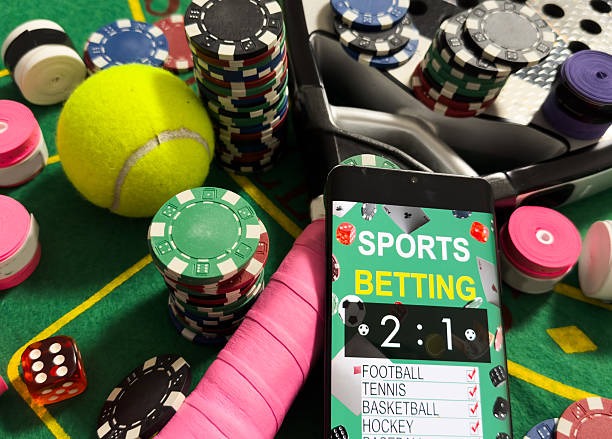
Football, badminton and basketball sit in the sportsbook area. You can inspect available markets and event status from the same account used for casino rooms.

Your account area shows whether phone confirmation or another identity check is pending. Complete requested checks before expecting a withdrawal request to move into processing.

The cashier records whether a DANA, OVO, GoPay or QRIS request is pending, completed or unsuccessful. Keep the receipt reference when you need support assistance.
Start with the account button, confirm your mobile number and then open the lobby from the same browser.
Enter the requested account details, create your access credentials and complete phone verification. Once the number is confirmed, we show the lobby categories available to your account.
Use your own matching name and active mobile number. Accurate details matter when we compare an account request with a DANA wallet, bank transfer record or withdrawal check.
Your home screen separates slots, Live Casino, Super Bingo, superfishing and sportsbook markets. Category tabs let you move between them without opening another account.
Keep your password private and confirm that you are on tgr99.club before entering it. We may request another phone check when account activity requires verification.
When login or wallet status stalls, start with the help control closest to the relevant screen. Live chat is suited to quick account and cashier checks, and its widget shows current availability. Email is useful when you need to attach a bank transfer or wallet receipt. On mobile, the help path remains inside the account menu, reducing the need to search for contact details. Include your account name, transaction reference and request time, but never send your password. We use those details to locate the correct record.
Open chat from the home or cashier area for account-access and wallet-status questions. Check the availability shown in the widget, then provide the relevant reference without sharing your password.
Use email when a case requires a QRIS image, bank transfer receipt or longer explanation. Include your account name, transaction time and reference to help us match the record.
The phone layout keeps help inside the account menu. You can check cashier status first, copy the reference and open the relevant contact route without leaving your session.
Our mobile site runs in your phone browser, so there is no separate application claim or unfamiliar installation step.

Account protection starts with a verified phone number and credentials that only you control. We keep the sign-in path on tgr99.
We require clear mobile verification before full account access. Use a number you control because account messages and additional checks may rely on that contact point.
Create a password that you do not reuse elsewhere and never send it through chat. Our support team does not need your password to inspect an account status.
Check tgr99.club before entering account details, particularly after following a saved link. If the page address looks unfamiliar, close it and return through our brand home.
Open the rules attached to each slot, live table or sportsbook market before confirming activity. Mechanics and conditions vary by category and by the selected title.
Going directly to our brand home keeps account, game and cashier details in one consistent path.
Different lobby areas work in different ways, so we identify the category before you enter. Slot return figures and game rules come from the title screen or studio panel where supplied.

Check the individual title screen for studio rules, feature details and any displayed return figure.
Baccarat, roulette, Dragon Tiger and blackjack rooms show table rules and available stakes before entry.

Round conditions and card mechanics appear within the game screen before a round begins.
Fishing-room controls and scoring mechanics are presented inside the selected title.
Football, badminton and basketball selections display market terms and status before you confirm them.
RTP percentages are informational reference values from provider documentation. Actual session outcomes vary.
Our browser-based home is configured for Indonesia, including local wallet names and banking context that remain familiar from Surabaya to other supported regions. You reach the service through tgr99.club on a phone, tablet or computer browser rather than through a physical venue. Available casino rooms, sportsbook markets and funding rails can vary by account or provider status. Eligibility depends on local law, so check the terms linked from our footer before creating an account or adding funds.
The most useful parts of our home are visible rather than hidden behind slogans.
These answers cover the practical questions we receive about the tgr99 home page, from account creation and mobile access to lobby categories and cashier status. Use the category row for games, the account menu for verification and the cashier for local wallet choices. If a transaction or login state does not update as expected, keep the relevant reference and contact us through chat or email. Access to the service depends on local law, and the applicable terms are linked from the page footer.
Begin at the category row if you want casino rooms or sportsbook markets, and use search when you already know a title.
Choose slots, Live Casino, Super Bingo, superfishing or sportsbook from the home row.
Open the account menu before using the cashier. Confirm your phone status and respond to any visible verification request tied…
Select DANA, OVO, GoPay, QRIS, bank transfer or virtual account when shown.
Open chat or email support for a specific account record, and use the footer for terms, privacy wording and eligibility…