Reference

tgr99 Nagaabola Sports Markets

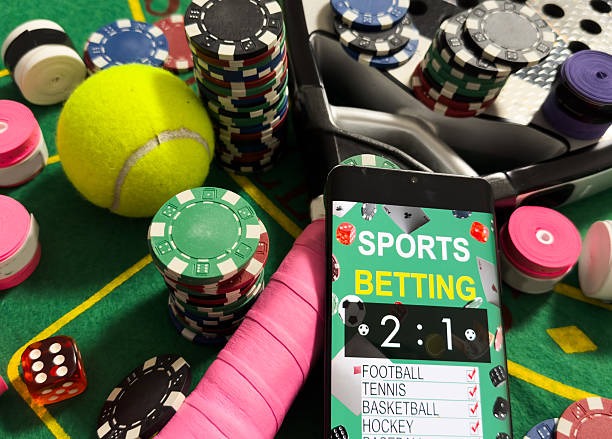
Nagaabola brings football, badminton and basketball selections into one betting room, with market lines and your bet slip shown together before you confirm an entry.

Football marketsBadminton selectionsBasketball linesMobile bet slip
tgr99 tgr99 Nagaabola Sports Markets
tgr99 How Nagaabola Entries Work

How Nagaabola Entries Work

Nagaabola is our sports-focused game room for checking football, badminton and basketball markets before placing a selection on your bet slip. Each market displays its available outcome choices and current line, so you can compare selections without leaving the event page. We keep the entry path direct: open the Nagaabola room, choose an event, add a selection, then check the stake and

market details before confirmation. The game room is available from the lobby after account access, where local law permits and access depends on local law.


THREE MARKET VIEWS

Nagaabola Market Features

The Nagaabola screen separates event selection, market detail and bet-slip checking so you can follow each step without guessing what has been added.

Updated today
tgr99 Event market cards
FOOTBALL

Event market cards

Football events appear as individual market cards, allowing you to open one match at a time and inspect available outcome choices. Your selected market moves to the bet slip, where the event name and stake remain visible before confirmation.

tgr99 Focused selection view
BADMINTON

Focused selection view

Badminton selections use the same clear event-to-slip path, so you can check the sport label before adding an outcome. This reduces mix-ups when several events are open and keeps your Nagaabola entry tied to the intended fixture.

tgr99 Slip status indicator
BASKETBALL

Slip status indicator

Basketball market selections show in the Nagaabola bet slip beside the stake field and confirmation action. We keep that status area on screen so you can remove or adjust an entry before sending it through your account.

Four Nagaabola Entry Steps

A Nagaabola entry follows a visible four-part sequence: select a sport, open an event, add an outcome, and inspect the bet slip before confirming.

Choose a sport

Start inside the Nagaabola room by choosing football, badminton or basketball. The sport filter narrows the event list before you open a market, keeping the first step focused on the category you actually want to inspect.

Open an event

Select one event to view its available market choices. We place the sport name and event label together, giving you a direct way to confirm the fixture before a Nagaabola selection reaches your bet slip.

Set the stake

After adding a market choice, enter the stake in the bet-slip field and check the selected event details. This screen is the point to remove a selection or return to the market list before confirmation.

Confirm the slip

The final Nagaabola check keeps the selected market, event and stake in one area. Confirm only after those details match your intended entry, then use your account history area to check the recorded transaction status.

GAME FACTS

Nagaabola Play Transparency

Nagaabola uses sports-market selections rather than reel-based slot mechanics, so RTP and slot volatility labels do not apply to this game room.

Auto-refresh hourly
tgr99 Game type

Game type

92%

Sports market game room for football, badminton and basketball selections.

tgr99 Volatility label

Volatility label

97%

Not applicable to Nagaabola because volatility is a slot measurement.

tgr99 Supported devices

Supported devices

96%

Nagaabola opens through the mobile browser and desktop lobby after account access.

tgr99 Access region

Access region

95%

Indonesia availability for Nagaabola depends on local law.

RTP percentages are informational reference values from provider documentation. Actual session outcomes vary.

PHONE BET SLIP

Nagaabola On Your Phone

On mobile, Nagaabola keeps the sport filter above the event list and the bet slip within reach as you browse.

tgr99 mobile gaming
Sport filter first
Bet slip stays visible
Phone verification path
Desktop-ready account
NAGAABOLA HELP

Help With Nagaabola Entries

When a Nagaabola selection does not appear as expected, our support path starts with the event name, sport category and the status shown in your bet slip. We can help you distinguish a login issue from a market-display question before you retry an entry. Contact support through the account help route near the lobby and provide the recorded entry details where available. This keeps questions about football, badminton or basketball markets connected to the right Nagaabola screen.

Team online

Missing market selection

If a chosen football, badminton or basketball market is absent from your bet slip, check the event label first. Then send support the sport category and market name through the account help path for a focused status check.

Account entry issue

If Nagaabola does not open after login, confirm that phone verification has been completed. Our account help route can check the access step and direct you back to the lobby without confusing it with an event-market issue.

Recorded slip question

For a question about a confirmed Nagaabola entry, use the transaction record in your account and share the event details with support. This gives our team a specific reference for checking the status shown on your slip.

CLEAR GAME RECORDS

Nagaabola Fair Play Signals

Confidence in Nagaabola comes from checking what the screen records: the sport, event, market selection, stake and confirmation status.

Visible event labels

Nagaabola places the sport and event label beside market choices, giving you a direct way to confirm what you are selecting. Check those labels before adding anything to your bet slip.

Pre-confirmation details

The bet slip presents the chosen market and stake before confirmation. This gives you a final chance to compare the entry with the event page and remove a selection that does not match your intention.

Phone verification

We use phone verification before account access to the Nagaabola lobby. That account step helps connect game-room activity to the contact details supplied during account creation.

Recorded account status

Confirmed Nagaabola entries can be checked through the account record area. Use the event and market details shown there when you need to ask about an entry status.

Support reference path

Our help route works better when you provide the sport, event and market from the Nagaabola slip. Those details let support focus on the exact entry rather than a broad lobby question.

Regional availability wording

Nagaabola availability depends on local law. We use the lobby access message and account path to show whether the game room can be opened from your current location.

Nagaabola Beside Other Rooms

Nagaabola is the lobby choice for sports-market entries, while our sibling rooms focus on different game formats.

NagaabolaChoose Nagaabola when you want football, badminton or basketball event markets. Its core interaction is selecting an outcome, adding it to a bet slip and checking the stake before confirmation.
Live CasinoLive Casino suits dealer-table sessions such as baccarat, roulette, Dragon Tiger and blackjack. Unlike Nagaabola, the focus is streamed table activity rather than sports fixtures and event-market selections.
rocketslotrocketslot is built around slot-room browsing and reel rounds. Nagaabola differs because you start from a sports category and event list, then use a bet slip instead of spin controls.
Super BingoSuper Bingo uses number-card gameplay rather than event selections. Pick Nagaabola when your interest is checking a football, badminton or basketball market with the relevant fixture details beside it.
superfishingsuperfishing centres on fishing-room action and target-based rounds. Nagaabola does not use those mechanics; it keeps your attention on sports events, outcome choices and the confirmation slip.
jasa77jasa77 is a separate lobby title with its own game format and screen flow. Nagaabola remains the direct choice when you want a sport filter, event page and visible stake field.
Main lobbyUse the main lobby to switch between Nagaabola and other game rooms after login. Your verified account remains the same, but each title opens its own format and interaction controls.
SIX GAME POINTS

Nagaabola Details Worth Checking

Nagaabola rewards careful checking rather than rushed switching between sports. The room gives you practical points to inspect before confirmation, from the sport category at the top of…

Sport category The Nagaabola sport category tells you whether you are browsing…
Event name Every market selection should be checked against its event name…
Market choice Open the market choices for a selected event and read…
Stake field The stake field appears in the Nagaabola bet slip after…
Confirmation view Before confirmation, the slip presents the Nagaabola entry details in…
Account record After confirmation, use the account record area to find the…

Nagaabola Questions Answered

These Nagaabola answers cover the points you are likely to check before opening the sports room: supported sports, the bet-slip sequence, phone access and account support. We keep the answers specific to event-market activity rather than mixing them with slot or live-table instructions. If your account screen shows a different availability message, follow that message first, because Nagaabola access depends on local law. For entry-specific questions, keep the sport and event details from your recorded slip ready.

Nagaabola is the sports-market room on tgr99 for football, badminton and basketball selections. You open a sport, choose an event market, add an outcome to the bet slip, enter a stake and check the details before confirmation.

Nagaabola includes football, badminton and basketball market categories. Start by selecting the sport category, then open an event to see its available outcome choices. The sport label remains useful when checking that your bet-slip selection matches the intended fixture.

Log in, complete phone verification if the account requests it, and enter the Nagaabola room from the main lobby. The game room uses the same verified account path as other lobby titles, where local law permits.

Yes, Nagaabola is available through the mobile browser path after login. The sport filter, event list and bet slip are arranged for phone screens, allowing you to inspect the selected market and stake without moving to a separate page.

First check that you opened the intended event and added a market choice rather than only viewing it. If the selection is still missing, contact support through the account help path and provide the sport, event and market details.

No. Nagaabola is a sports-market game room, so slot RTP and volatility labels do not apply. Instead, check the event, market choice, displayed line and stake in the bet slip before confirming your entry.

Nagaabola availability depends on local law and may vary by location. Check the lobby availability message after account access for your current region. Where local law permits, the game room opens through the standard verified account path.